
Start with the occupant’s situation and decision unit
For a corporate workplace, the real estate or workplace team may lead the search while finance approves expenditure, legal reviews terms and an authorized signatory commits the organization. Employees use the space without inheriting those powers. In a small business, one principal may hold several roles and need a simpler process.
Households also differ. An independent mover needs a clear next action and dependable dates. A shared lease needs collective decisions without combining private finances. A household coordinator needs continuity across many people and possessions. Someone validating functional accessibility needs specific, verified requirements and measurements; do not infer their needs from a demographic label or an attractive photograph.
Carry the space brief into the move plan
Record must-haves, tradeoffs, timing and the proposed total occupancy commitment before comparing spaces. Preserve questions and the evidence used to answer them. A shortlisted space is not an executed agreement, and a signed agreement is not proof that possession and setup conditions are complete.
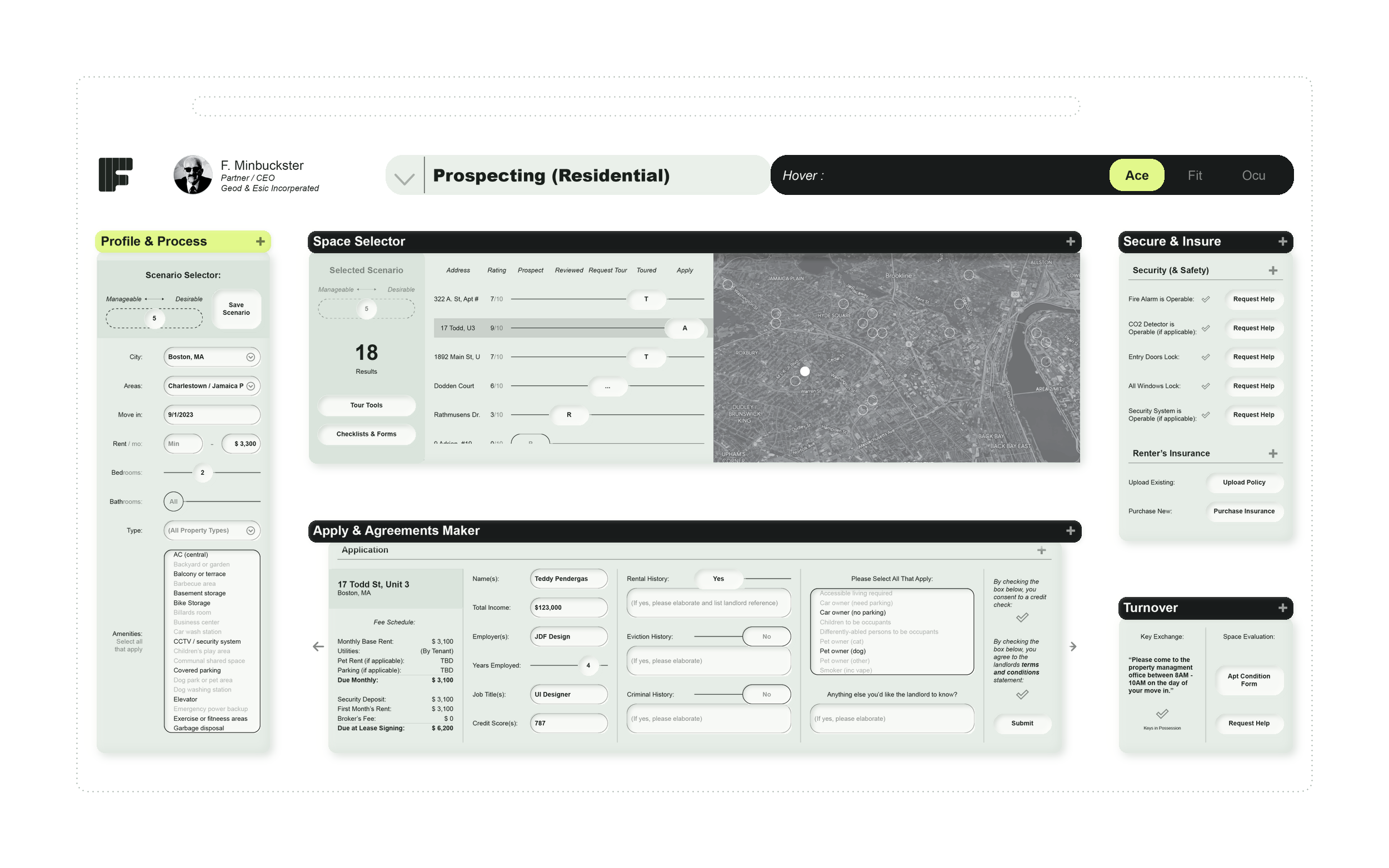
Fuller’s intended ACE workflow addresses finding and securing space. FIT then addresses space capture, scope, schedule, budget and setup execution. Use this sequence to evaluate whether an agreed requirement survives the handoff to measurements, deliveries, installers and access arrangements. Material design or construction work needs its formal project process; a move coordinator should not accidentally authorize permanent work by adding a setup task.
Make service responsibility and privacy understandable
During occupancy, the person reporting a problem needs to know who owns the next action and whether it has actually been resolved. The property team needs enough information to act without receiving unrelated personal or business details. External providers need only the information and access required for their work.
OCU is Fuller’s intended interface for occupied-space actions, longer-term obligations and selected services. This should not be read as a promise of desk booking, building automation or payment execution. Ask a supplier which services and connections are actually supported, who maintains them and what happens when an owner, tenant or provider does not participate. For multi-site tenants, retain local responsibilities while making genuine exceptions visible to the central team.
Choose the sponsor and a realistic first workflow
A landlord-sponsored program, a tenant-sponsored workplace and an independent household require different adoption routes. Identify who pays, who invites participants, who maintains the records and who answers support requests. Institutional occupants may have additional procurement and program requirements; the persona alone establishes no specialized compliance capability.
Begin with one move or one recurring service handoff. Include an exception such as a delayed delivery, a rejected access request or an unresolved repair. Check that each participant can understand the next action and that a request cannot be marked resolved merely because someone acknowledged it. Measure completion and continuity separately from enterprise sales interest. Fuller’s MVP is currently locked; registration expresses interest and does not grant an occupant account or access to a participating property.
Where this fits in Fuller
Fuller is presented here through its interface concepts and intended workflows. MVP access is currently locked. Registering interest does not create an account or provide access; availability, supported connections and a pilot scope must be confirmed before an evaluation.
Questions to ask before choosing software
Who buys occupant or workplace coordination software?
The sponsor may be the property owner, property manager, tenant organization or small-business principal. Participating occupants are often users rather than purchasers. Confirm the actual sponsor and invitation path before selecting a product.
How do ACE, FIT and OCU differ?
ACE addresses the intended search and agreement journey; FIT setup and moving into space; OCU daily use, recurring obligations and service coordination. They share context while serving different stages and responsibilities.
Can a household use the current Fuller MVP independently?
The landing page does not promise independent household access. MVP entry is locked, and access arrangements or participating-property requirements must be confirmed. Anyone can read the public guides and register interest.
What should an accessibility-focused evaluation check?
Start with the person’s stated functional requirements. Verify relevant dimensions, routes, controls and service arrangements with appropriate evidence and reviewers. Do not assume that a generic accessible label answers an individual’s needs.
Tell us what you’re working on.
MVP access is currently locked. Register your interest and describe the work you want to connect.
Register interest in this workflow ↗